
Infometers
Four meters, one menu bar.
Your AI allowances, your connection, your Mac and the weather, each a glance away in the menu bar, and all together in one Overview.
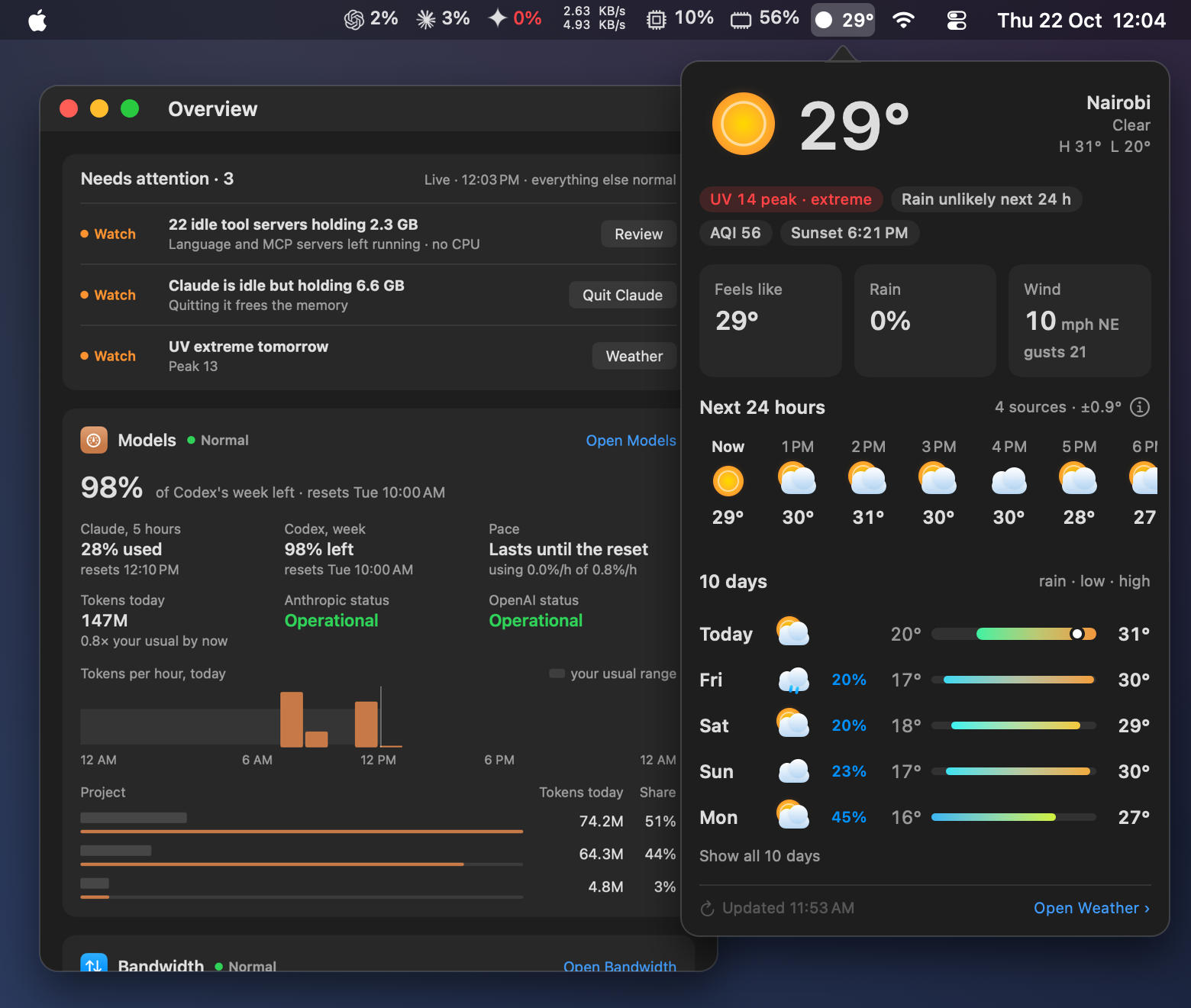
Infometers replaces Model Meter, Bandwidth Meter and Weather Meter. What this means for you
Every reading, on one screen.
The Overview puts anything that needs you at the top, then shows each meter the same way: its state, the reading that matters most, six labelled figures, today's chart and the top three. It fits a narrow window as well as a wide one.
Know before you hit the cap.
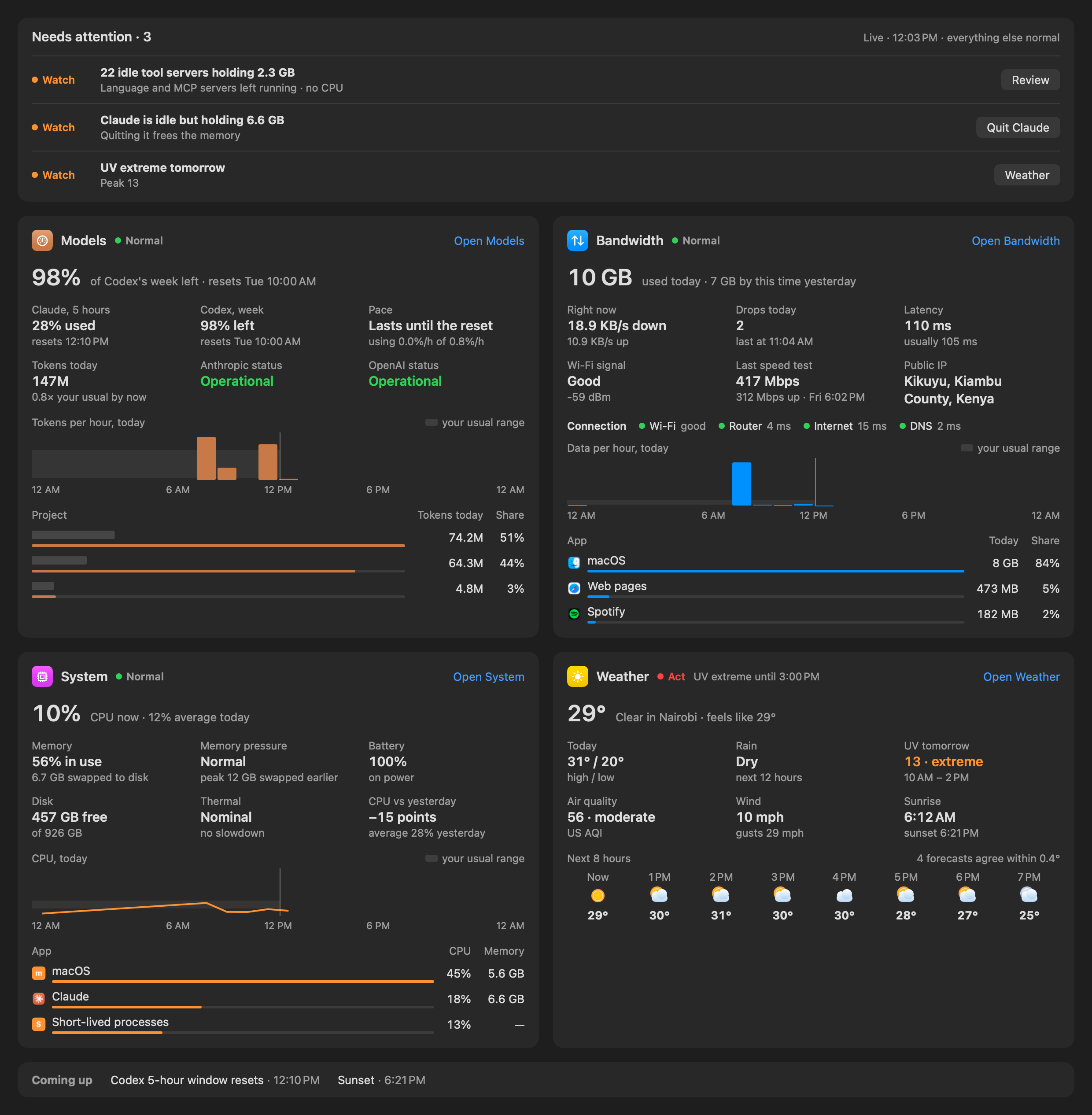
See how much of your Claude and ChatGPT/Codex allowances you've used, when each one resets, and whether you'll run out at today's pace.
- 5-hour and weekly limits for Claude and Codex, side by side.
- A pace check that says when you'd run out, and how much you can use per hour to last.
- Today's tokens by project, from Claude Code and Codex's own logs.
- Uses the sign-ins already on your Mac. No extra API keys.
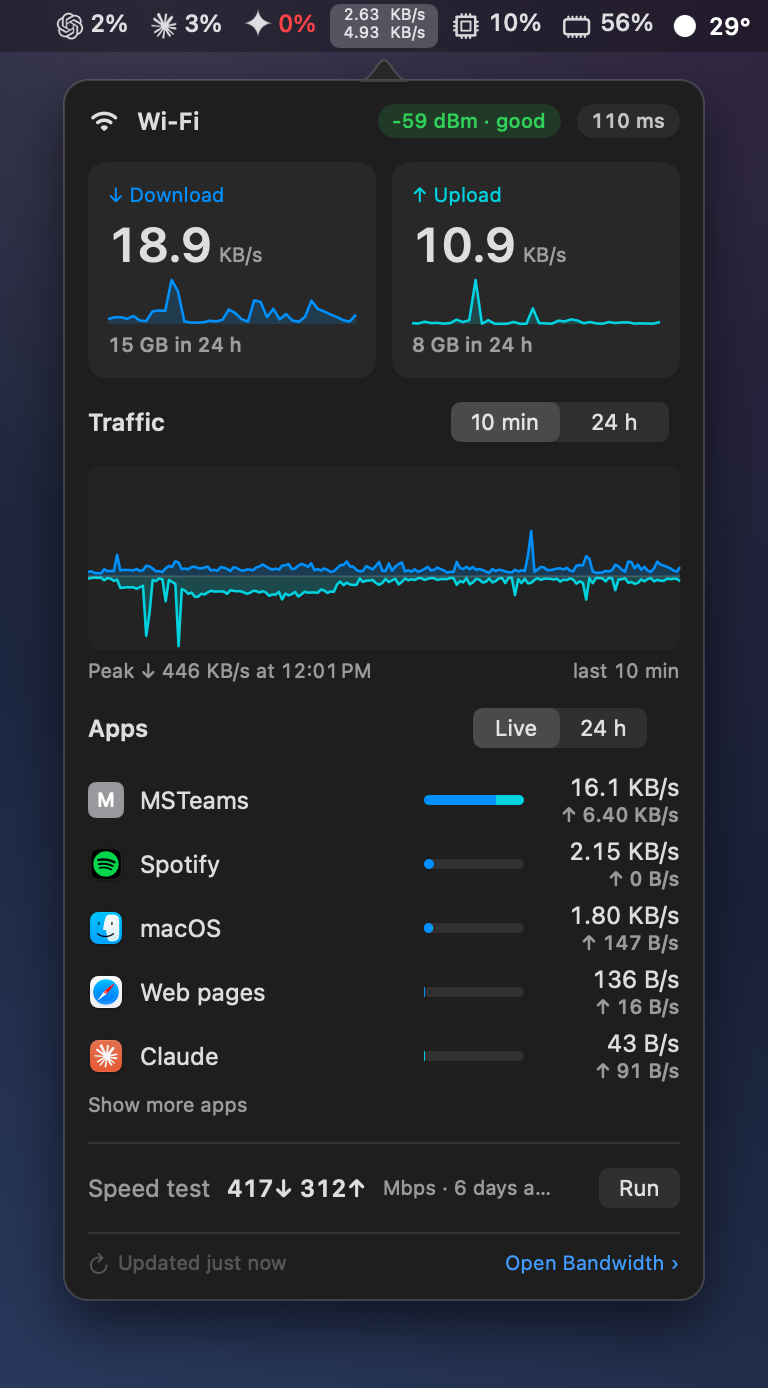
Find what's using your connection.
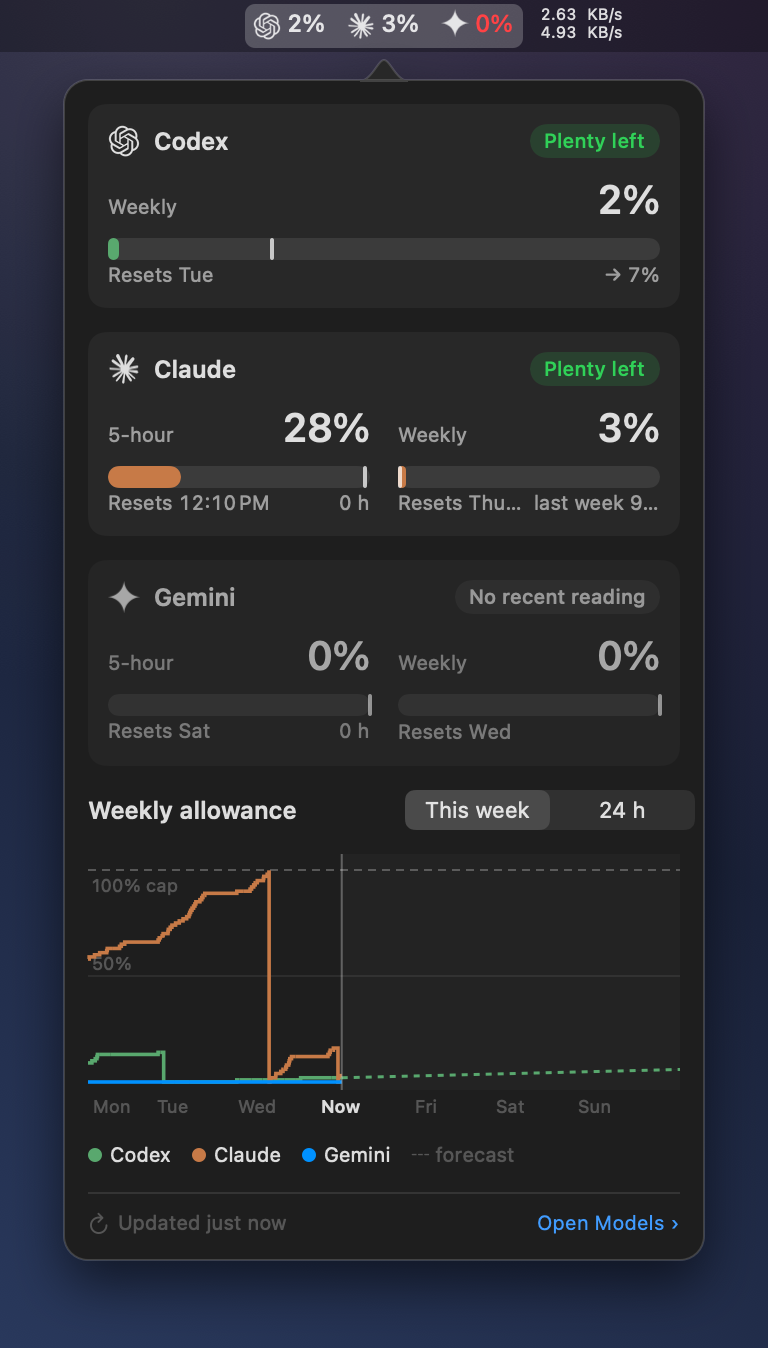
Live download and upload speeds, the apps behind them, and a quick check of where a problem is: your Wi-Fi, your router or the internet.
- Data used today, compared with this time yesterday.
- Apps using the network, today and right now.
- Connection drops, latency and Wi-Fi signal, in plain words.
- Speed tests on demand or on a schedule.
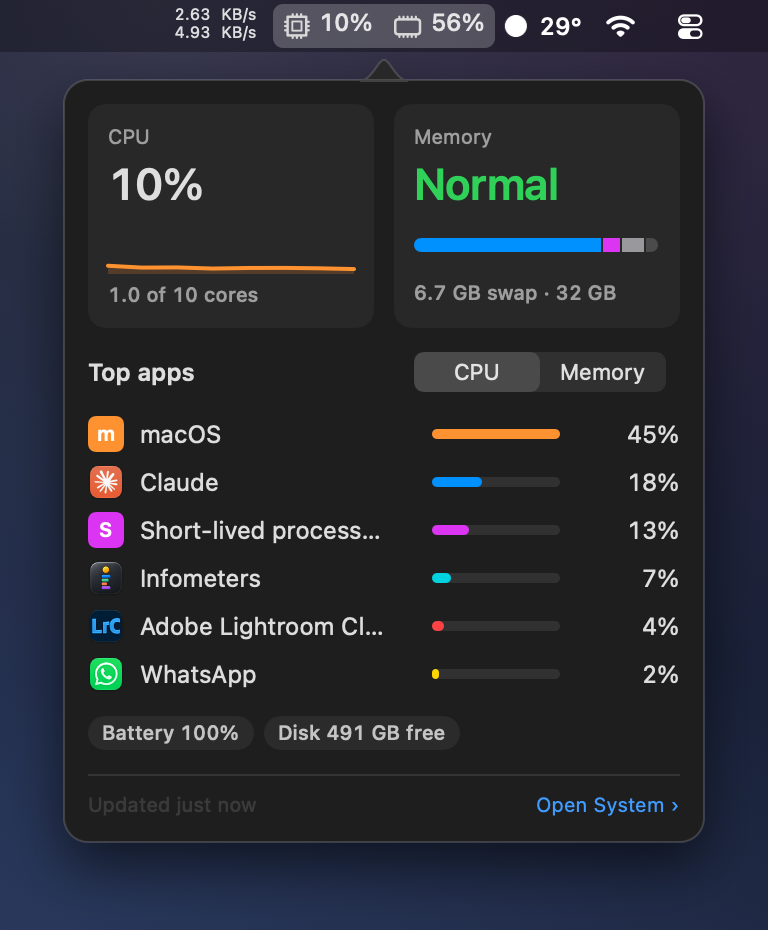
See who's using your Mac.
CPU and memory by app, measured the way Activity Monitor does it, so builds, scripts and short-lived tools count towards the app that started them.
- CPU now and through the day, against your usual range.
- Memory, swap and pressure, with the apps holding the most.
- Idle apps and tool servers you could quit to free memory.
- Battery, disk space and thermal state.
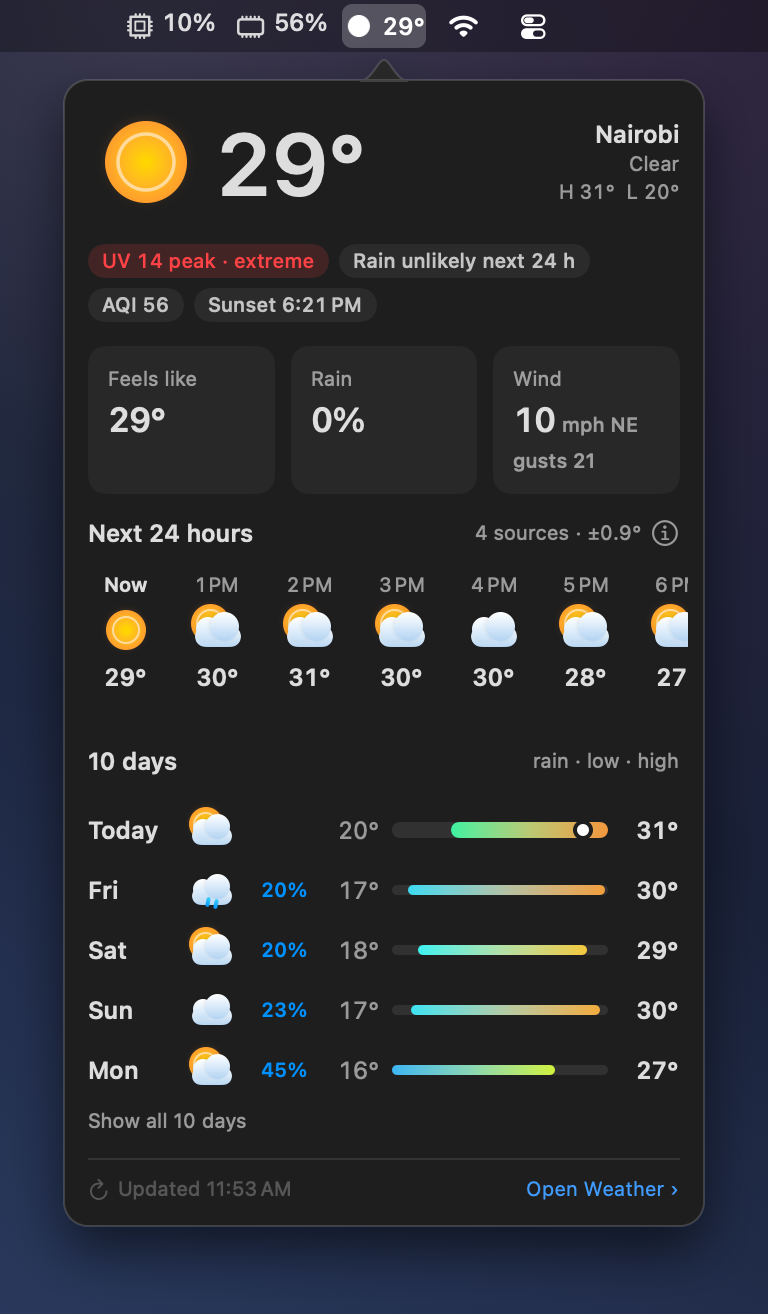
A forecast you can trust.
Several free forecasts blended into one, with how closely they agree. Rain, UV, air quality, wind and sunrise at a glance. No account or setup needed.
- Forecasts from MET Norway, Germany's DWD, Open-Meteo, NOAA and more.
- The next hours and ten days, with rain chances.
- UV and air-quality warnings when they matter.
- Add your own free keys for extra forecasts if you like.
Download Infometers.
Requires macOS 14 or later on Apple silicon.
Coming from one of the Meter apps?
Model Meter, Bandwidth Meter and Weather Meter are now part of Infometers and won't be updated again. Download Infometers, then quit the old app and delete it. Settings don't carry over, so choose your location and menu bar items again.
Stock Meter has been retired and is no longer available. A copy you already have keeps working for as long as its data source allows.
Questions and answers.
Do I need any accounts or API keys?
No. Weather, bandwidth and system readings work straight away. For AI allowances, Infometers uses the sign-ins Claude Code and Codex already have on your Mac. Weather keys are optional extras.
How does it read my Claude usage?
Claude Code reports its own 5-hour and weekly limits to its status line; with your permission Infometers saves those figures. You can also turn on a Live check, or sign in for Infometers separately. Your prompts and conversations are never read.
How does it read my ChatGPT and Codex usage?
It reads the sign-in the ChatGPT app or Codex CLI keeps on your Mac, without changing it, and asks ChatGPT for your usage.
Does it slow my Mac down?
No. It reads its meters every few seconds using a few percent of one core, and does less while its window is closed.
Is it affiliated with OpenAI, Anthropic, Google or Apple?
No. Infometers is made by Abokado Labs and isn't affiliated with, endorsed or sponsored by those companies.